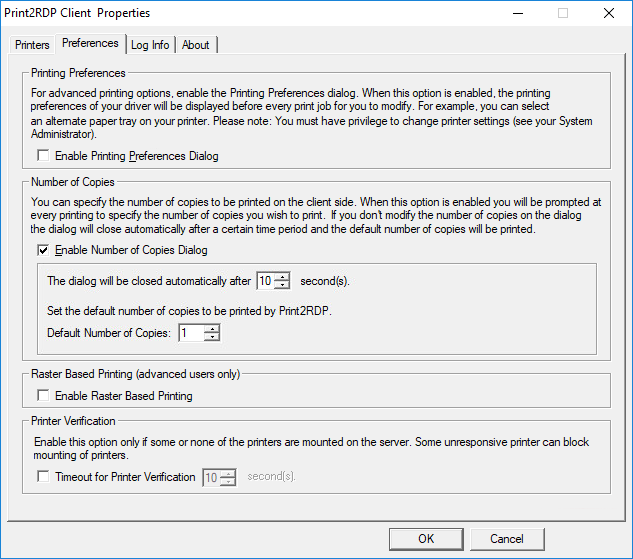
To set the default number of copies and the duration of the dialog closing time, perform the following steps:
Check the Enable Number of Copies Dialog option in the Print2RDP Client Properties and the users are prompted to specify the number of copies to print before the print job goes to the local printer.
Set for how long the Client Properties window is open.
When the Number of Copies dialog is enabled in the Print2RDP client, the following window appears before the job is sent to the local printer:
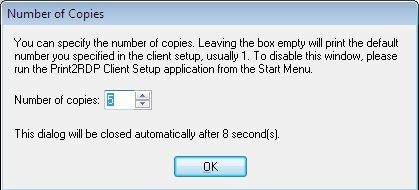
If the number of copies is not changed, the default number of copies is printed. If the user does not click OK, the window stays open for the duration specified in the Print2RDP Client before closing and sending the print job to the printer.
If both the Printing Preferences and the Number of Copies dialogs are enabled, when a print job is sent to the client, the local driver Printing Preferences are displayed first, then the Number of Copies dialog.