To enable logging on a port perform the following steps:
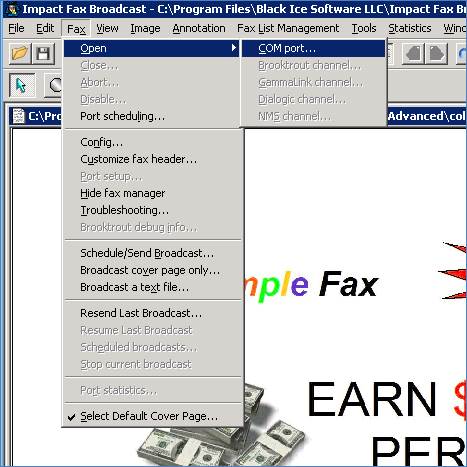
1. In the Impact Fax Broadcast, go to Fax > Open and select COM port option.
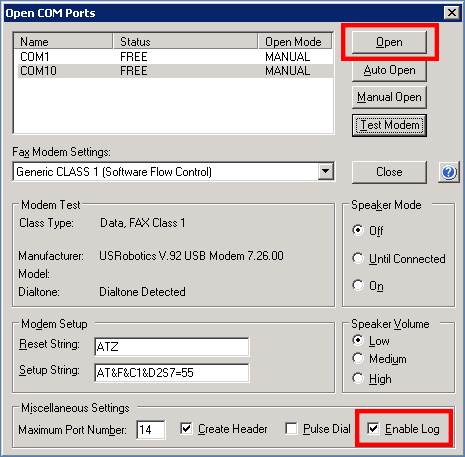
2. Select the opened port, and make sure that the Enable Log checkbox is checked. When finished, click on the Open button to open the port.
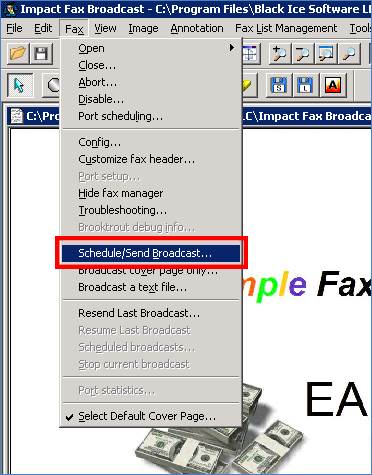
3. Go to Fax > Schedule/Send Broadcast menu option and try to send a fax.
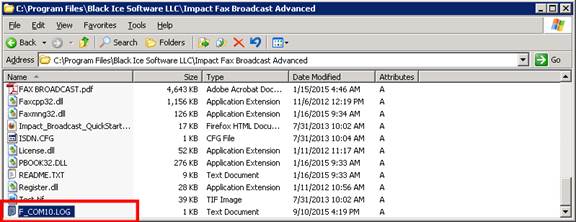
4. The log file will be generated into the Impact Fax Broadcast installation folder with the following naming convention: F_PORTNUMBER.LOG.
For example: F_COM10.LOG.