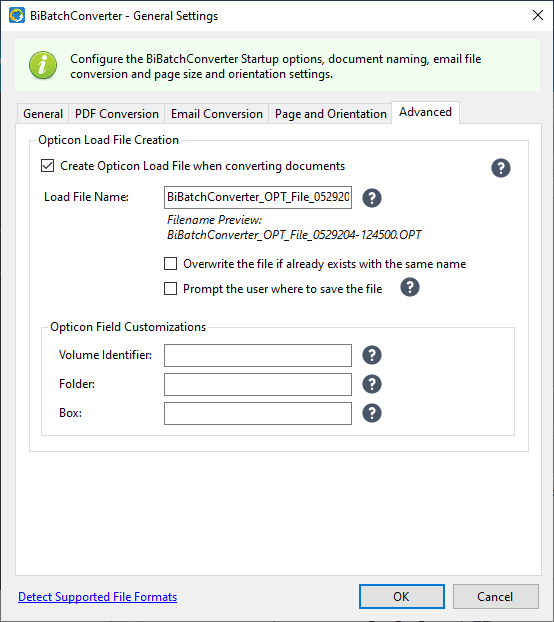
Under the Advanced tab, users and administrators can configure the BiBatchConverter to generate an Opticon Load File.
Opticon Load File Creation
An Opticon Load File is typically used in e-discovery to import and manage scanned document images within document review platforms.
To generate an Opticon Load File (.OPT), please enable the Create Opticon Load File when converting documents option. From now on, the BiBatchConverter will create a load file when converting a batch of documents. The load file will be generated in the output folder configured in the BiBatchConverter.
Overwrite the file if already exists with the same name
If this option is enabled, the BiBatchConverter will overwrite the load file if it already exists with the same configured name in the same output folder.
Prompt the user where to save the file
If this option is enabled, the software will prompt the user to select the destination folder for the generated load file.
Opticon Field Customizations
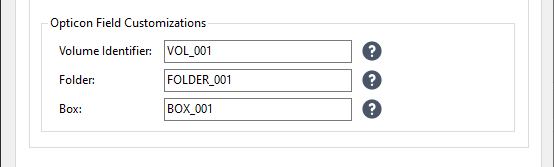
Volume Identifier
A volume identifier can be used to identify the document conversion batch when the load file was created. This identifier helps to organize and manage large sets of documents by grouping them into manageable units or volumes for tracking and referencing purposes.
Folder
The Folder field specifies the physical or virtual folder where the document is stored.
Box
The Box field specifies the physical or virtual box where the document is stored.