To specify multiple OCR languages in the BiBatchConverter, please run Notepad as an Administrator and open the following file:
c:\Windows\System32\spool\drivers\x64\3\BDCIniNT.ini
Search for the following line:
Languages=eng
OCR languages can be specified using language codes. Please see the list of the available languages and language codes on the following page:
https://www.blackice.com/private/rtk/OCR_Language_Packs.htm
To use multiple OCR languages, please specify the desired language codes separated by a "+" character. For Example:
Languages=eng+deu+fra
After modifying the "Languages=" line, please save the BDCIniNT.ini file.
If the BiBatchConverter Service Manager is running, please click on Stop Conversion button and close the Service Manager.
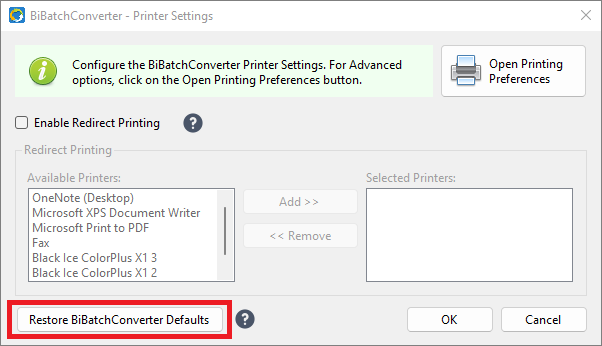
Open the BiBatchConverter application, click on the Printer Settings tab, and click on the "Restore BiBatchConverter Defaults" button.
The Restore BiBatchConverter Defaults button will reload all settings from the BDCIniNT.ini file. After the setting are reloaded, please make sure that the BiBatchConverter is configured correctly.