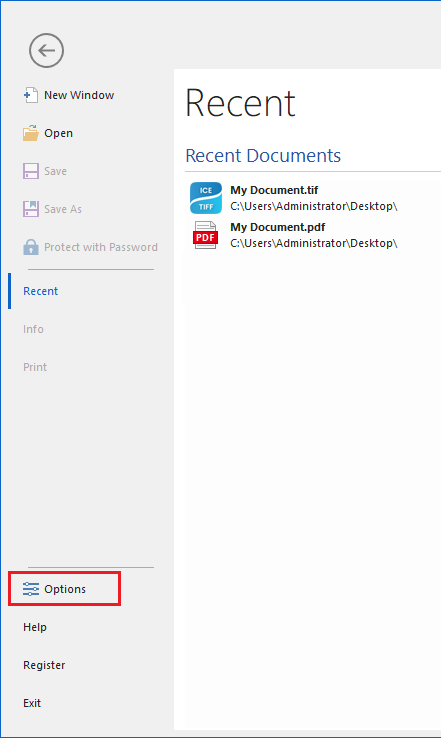
To enable or disable the IceViewer Browser Plug-In, run the IceViewer as an Administrator, and go to File > Options.
In IceViewer Options, please navigate to the Browser Plug-in tab. One can enable the Browser Plug-in by selecting the desired file types which should be associated with the IceViewer Browser Plug-in.
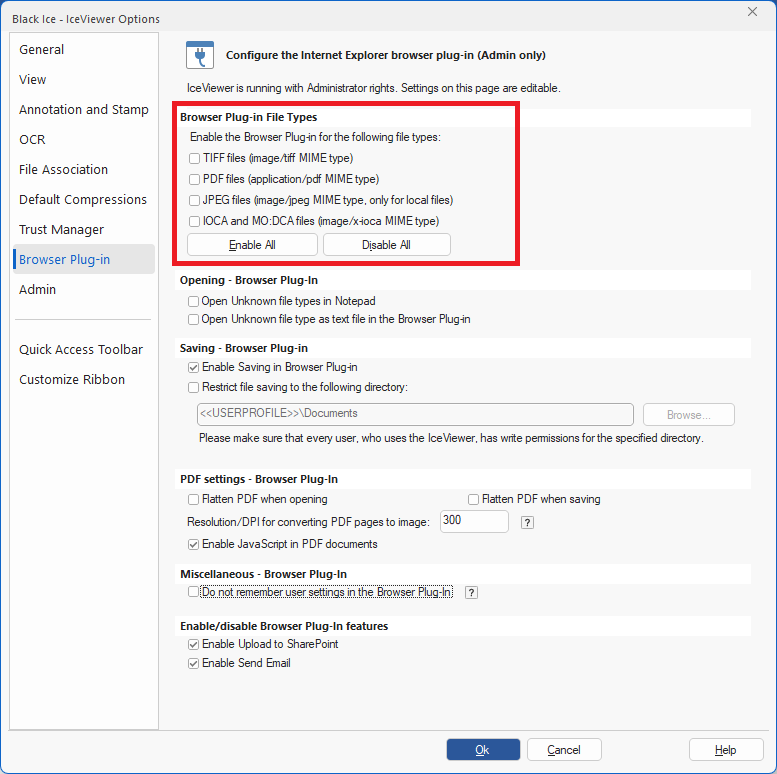
Click on the OK button to save changes.
To read more about Browser Plug-in Settings, please refer to the Browser Plug-in section of the manual.