The BiCommandLineConverter cannot run under the Local System account.
Please run the BiCommanLineConverter under a user account with administrator privileges from the Windows Task Scheduler.
To run the BiCommandLineConverter task with an administrator account, please follow these steps:
· Open the Windows Task Scheduler.
· Create batch file for running the BiCommandLineConverter.
Please see more information about BiCommandLineConverter examples on the following link:
https://www.blackice.com/Help/Tools/BiCommandLineConverter/WebHelp/Command_Line_Examples.htm
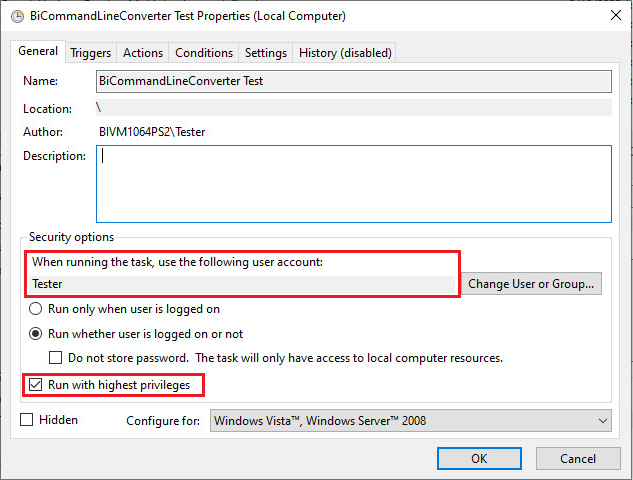
· After you created the Task for the BicommandLineConverter, navigate to the General tab.
· Add a valid username with administrator privileges.
· Check the “Run with highest privileges” option: