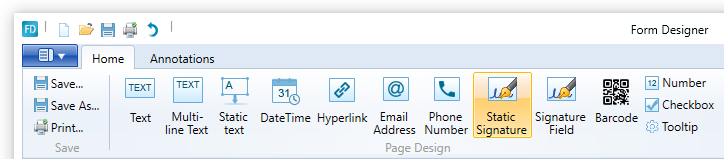
Static signature is a kind of signature that can be edited in Form Designer only. In Form Filler these signatures cannot be modified.
To place one, users have to click on the Static Signature button on home ribbon tab.
After clicking it, the Static Signature Window appears.
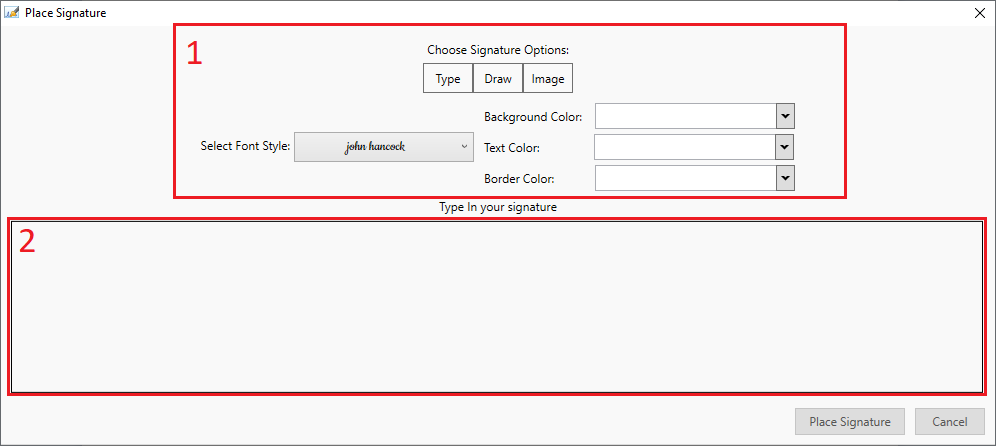
1. Signature options: One method of signature creation can be chosen here, of the three available signature types. Type in signature, draw in signature, or use an existing image signature.
a. Type signature: Users using this mode can also select which font style, background color, text color and the border color to be used.
b. Draw signature: One can draw a name into the signature field. One can also select which font style, background color, text color and the border color to be used.
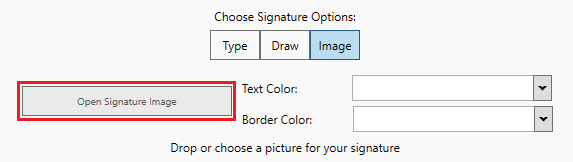
c. Image signature: Image can be dragged and dropped into the field, also there is a button to open an image, if it is preferred.
2. Signature field: Input field for signature. Form of usage varies, according to mode in use.
Signature placing can be confirmed with the Place Signature button, or can be canceled with cancel button.